
Car rental management software
Take direct bookings. Manage your fleet.
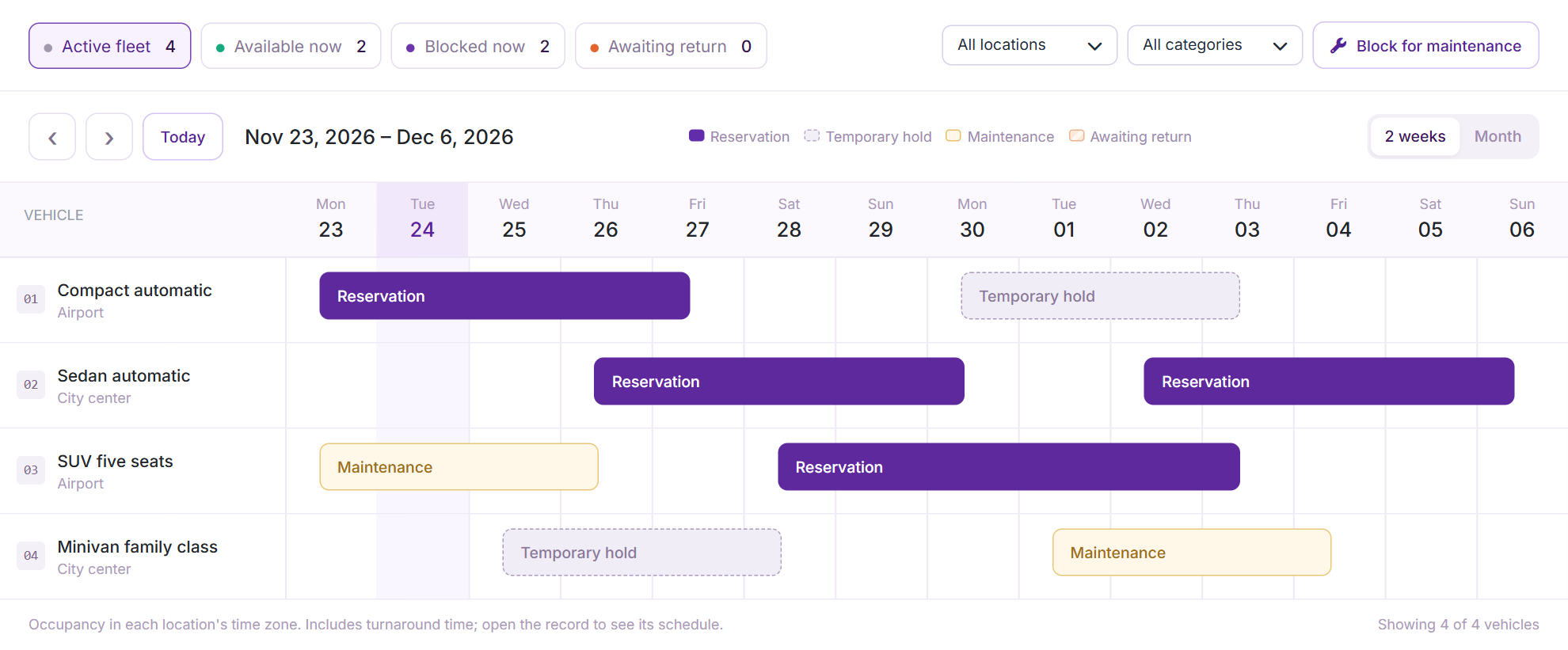
Customers compare car categories and book on your website. Your team sees which vehicles it can hand over on those dates, branch by branch.
Booking engine · National Car Rental
What booking looks like under your brand.
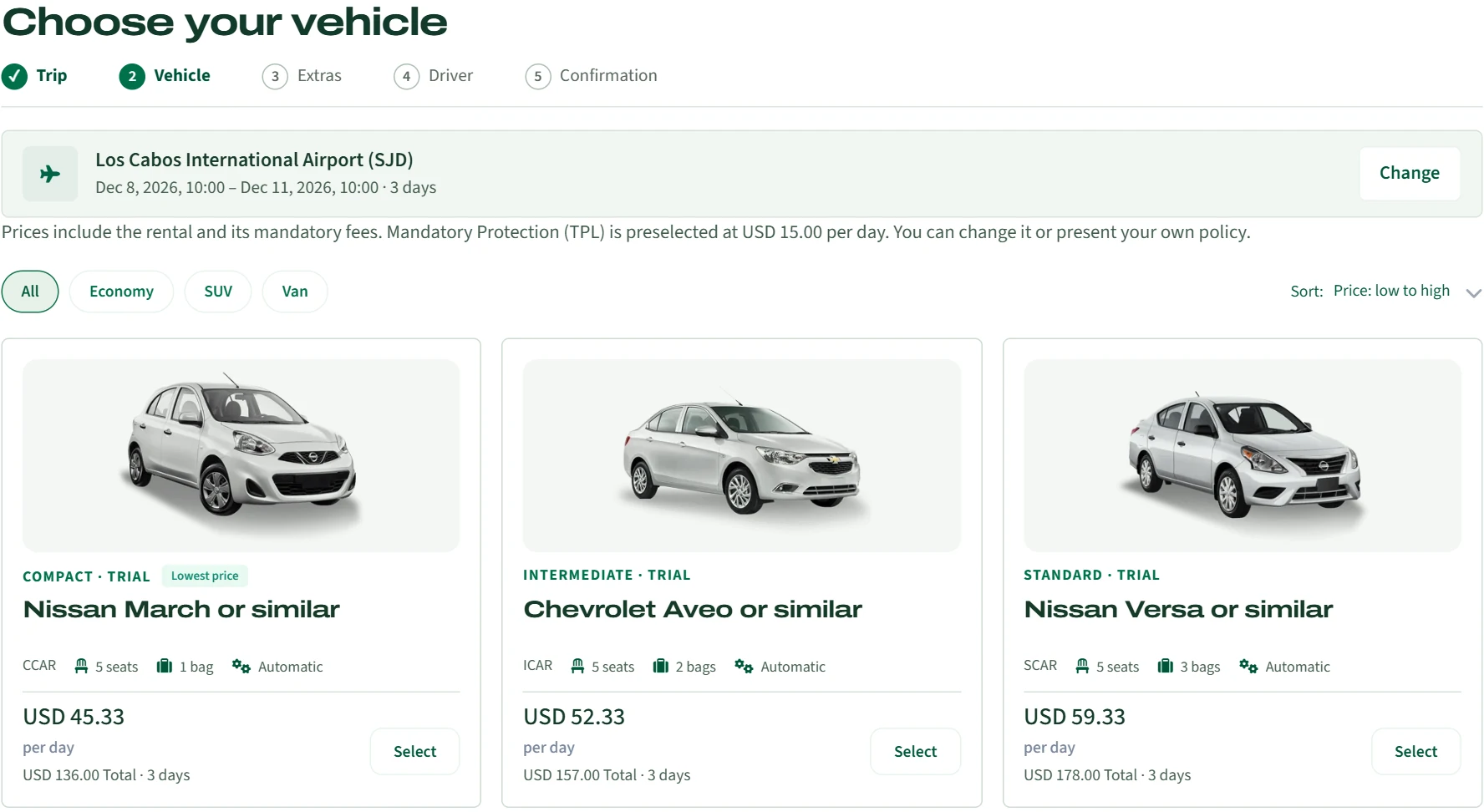
We searched for a three-day rental in Los Cabos on the site we built for National. The booking engine returned six car categories for those dates.
Try the National booking engine ↗The booking starts on your site.
Travelers choose where and when to pick up and drop off their car.

The total before they choose.
Customers can compare a compact and a sedan by the daily rate or by the cost of the whole rental.
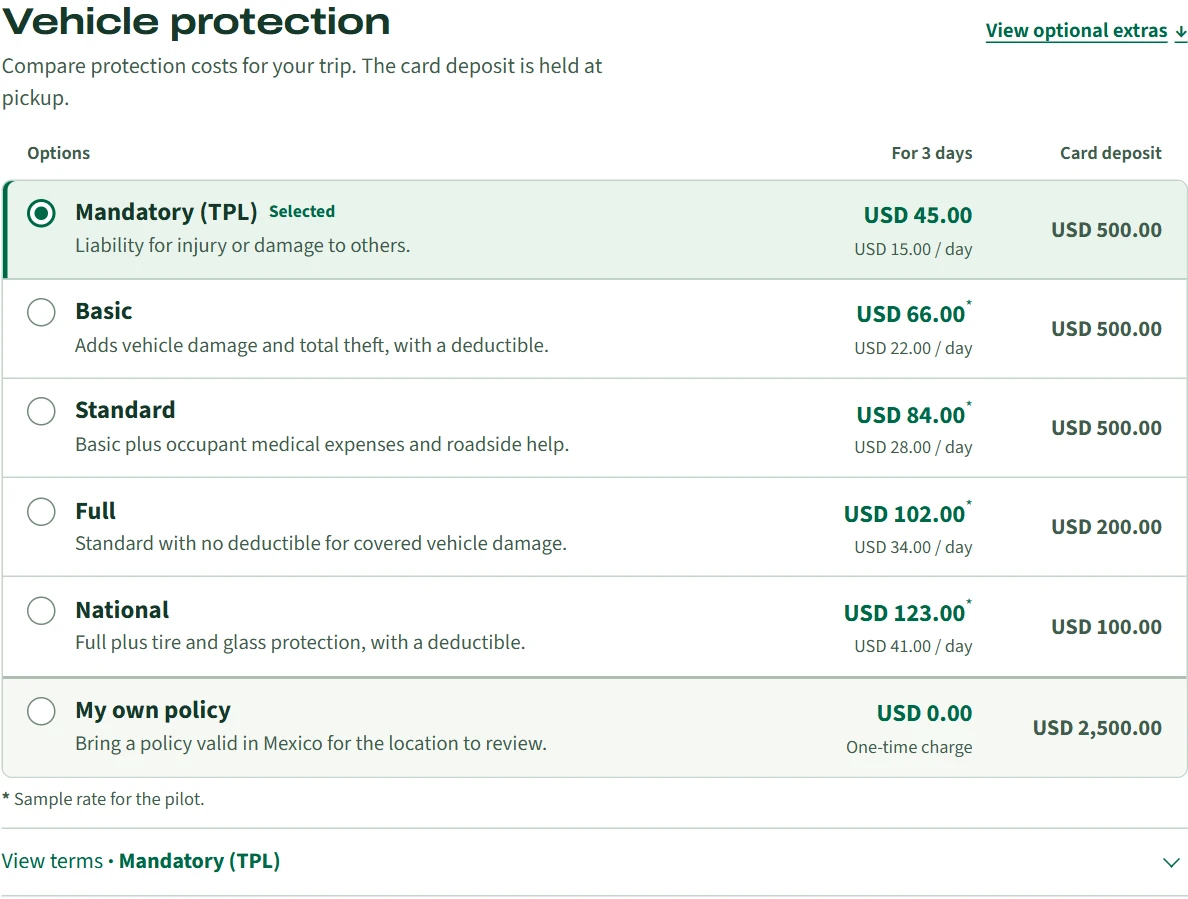
Protection is part of the booking.
Customers compare coverage and cost before entering the driver’s details.
Optional module · TravelDesk Inspection
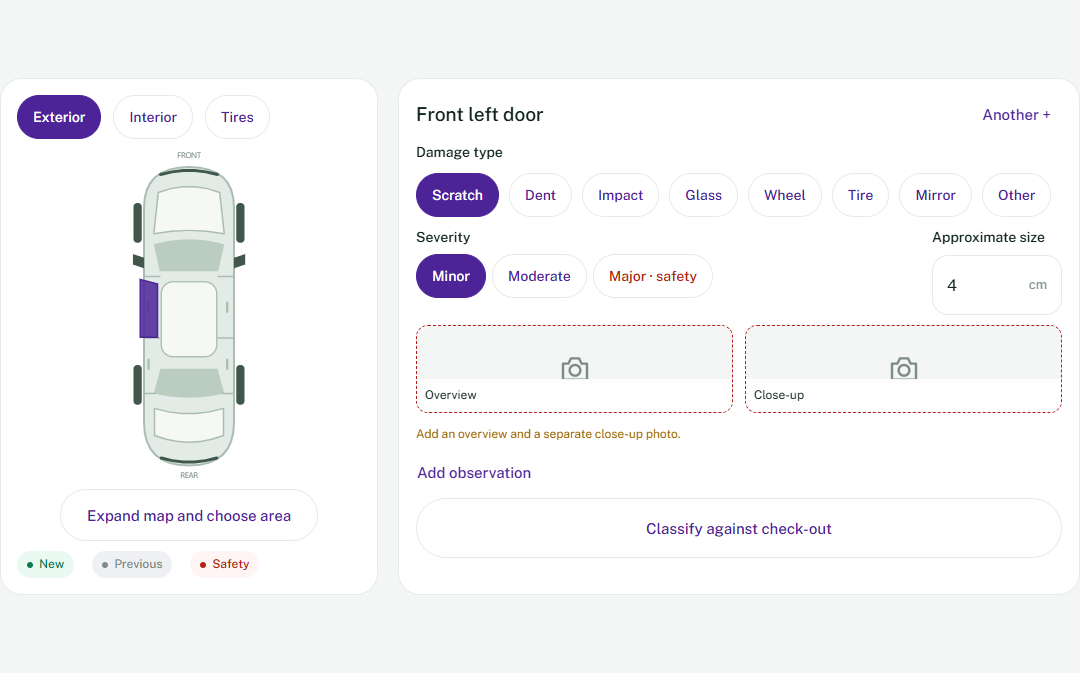
Keep a record of every return.
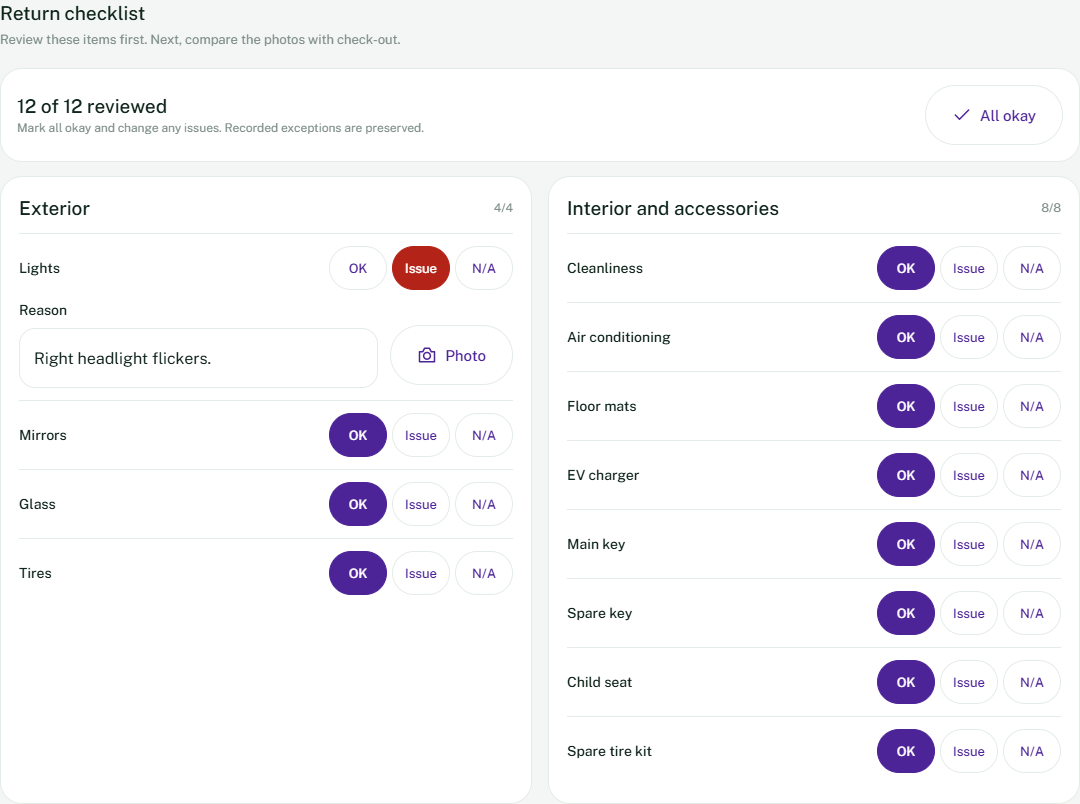
A scratched door. A faulty light. Your team marks damage on the vehicle diagram and records faults in the checklist, so the next shift knows what to look at.
TravelDesk Inspection · Demo data
How would it work with your fleet?
Bring a typical rental request. In the demo, we’ll price those dates, check fleet availability and walk through the plan that fits your operation.